Whether you've decided Cash App no longer fits your needs, you're simplifying your financial tools, or you discovered that Cash App doesn't support your business type, learning how to deactivate a Cash App account is straightforward — as long as you know exactly what to do before you pull the trigger.
This guide walks you through every step of the deactivation process, explains what happens to your funds and linked cards, and — for merchants specifically — points you toward payment solutions built to handle real business volume.
⚠️ Important before you start: Cash App deactivation is permanent and irreversible. You cannot reactivate the same account later. Read through all the pre-deactivation steps below before proceeding.
What Does "Deactivating" a Cash App Account Actually Mean?
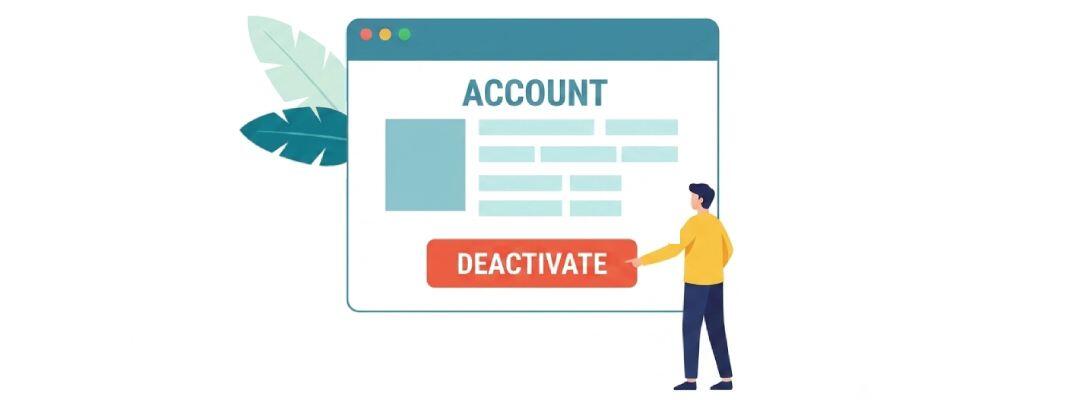
Cash App uses the word deactivate to describe permanent account deletion. Unlike some platforms that offer a temporary suspension, Cash App has no pause mode. Once you deactivate:
- Your $Cashtag is permanently released and cannot be reclaimed.
- All transaction history is deleted from the app.
- Linked cards and bank accounts are unlinked.
- Any connected Cash App Card is deactivated immediately.
- Bitcoin and stock holdings must be liquidated first — they cannot be transferred out in kind.
If you only want to stop using Cash App temporarily, the safer option is simply to log out and stop using the app. Only proceed with deactivation if you are certain you want permanent closure.
Step-by-Step: How to Deactivate a Cash App Account
Before You Deactivate — Checklist
Complete every item on this checklist before initiating deactivation, or you risk losing access to your funds:
- Transfer your Cash App balance to a linked bank account. Go to Banking → Cash Out and move every dollar out.
- Sell any Bitcoin or stocks held in Cash App Investing, then cash out the proceeds.
- Cancel any active subscriptions billed through Cash App.
- Download or note any transaction history you may need for accounting or tax purposes — statements are unavailable post-deactivation.
- Notify anyone who pays you via your $Cashtag that your handle will no longer be active.
Deactivation Steps (Mobile App)
- Open Cash App on your iOS or Android device and confirm you are logged in to the correct account.
- Tap the Profile icon (silhouette or your photo) in the top-right corner of the home screen.
- Scroll down and tap Support.
- Tap Something Else, then select Account Settings.
- Tap Close My Cash App Account.
- Review the on-screen information, then tap Confirm. Cash App may verify your identity via SMS or email at this step.
- Follow any final prompts. You will receive a confirmation email from Cash App when the deactivation is processed.
💡 Don't see "Close My Account"? Update Cash App to the latest version, or contact Cash App Support directly at 1-800-969-1940 and request account closure by phone.
Deactivation via Cash App's Website
Cash App's primary closure path is through the mobile app. You can also contact support through cash.app/contact and submit a written request. This route typically takes longer — allow 5–10 business days for confirmation.
What Happens After You Deactivate?
Once your request is processed:
- Your $Cashtag becomes available for other users after a release period.
- Pending transactions may still settle to your linked bank account — monitor it for up to 5 business days.
- You will receive a deactivation confirmation email from Cash App. Save this for your records.
- If you had a Cash App Card, it stops working immediately.
- You will not be able to log back in with the same email or phone number.
✅ Tip: Watch your linked bank account for 5–7 business days after deactivation to confirm all pending cash-outs landed correctly. If funds are missing, contact Cash App support with your confirmation email as proof of closure.
Why Merchants Are Leaving Cash App Behind
If you're a business owner or entrepreneur, the decision to deactivate Cash App often comes down to one of these pain points:
| Pain Point | Why It Matters for Merchants |
|---|---|
| No chargeback protection | Cash App peer-to-peer payments are generally non-reversible, with no formal dispute resolution process for business sellers. |
| Processing limits | Unverified accounts are capped at $1,000 per 30 days. Even verified Cash App for Business accounts hit limits that growing businesses quickly outgrow. |
| High-risk industries blocked | Cash App's terms prohibit many business categories — including nutraceuticals, adult content, firearms accessories, CBD, and more. |
| No card-present POS | Cash App does not offer a robust point-of-sale solution for businesses taking in-person card payments at scale. |
| Account terminations | Cash App routinely terminates business accounts without notice when transaction patterns deviate from personal P2P use. |
These aren't minor inconveniences — for a growing business, they represent real revenue risk. If your Cash App account was terminated, restricted, or you've simply outgrown it, you need a dedicated merchant account.
Best Cash App Alternatives for Businesses
For Low-Risk, Standard Businesses
If you sell physical products, offer professional services, or run a straightforward e-commerce store, payment processors like Stripe, Square, or a traditional merchant account through your bank will serve you well. These providers offer transparent pricing, chargeback management tools, full card-present and card-not-present processing, and integration with major shopping carts and accounting software.
For High-Risk Merchants
If Cash App terminated your account — or if your business operates in an industry that platforms like Cash App, PayPal, or Stripe routinely decline — a high-risk merchant account is the right move. High-risk processors specialize in exactly the industries that mainstream payment apps won't touch:
- Nutraceuticals and supplements
- Adult products and services
- CBD and hemp
- Travel and ticketing
- Firearms and ammunition accessories
- Subscription and continuity billing
- Online gaming and fantasy sports
High-risk merchant accounts come with rolling reserves and slightly higher rates, but they provide something Cash App can never offer: stability, contract terms, and processors that actually want your business.
📊 Compare Merchant Account Providers: Use our free merchant account comparison tool to find vetted providers matched to your industry, monthly volume, and risk profile — without the cold-call sales pressure.
Cash App vs. Merchant Accounts: At a Glance
| Feature | Cash App for Business | Dedicated Merchant Account |
|---|---|---|
| Monthly volume limits | Low ($7,500–$25,000 typical) | Unlimited (volume-based underwriting) |
| Chargeback management | Minimal / none | Full dispute management tools |
| High-risk industries accepted | No | Yes (via specialist providers) |
| Card-present POS | Basic | Full POS ecosystem |
| International payments | Limited (US only) | Multi-currency support available |
| Contract stability | None (terminated anytime) | Contractual terms and notice periods |
| Business banking integration | Basic | Deep ERP / accounting integrations |
Frequently Asked Questions
Is deactivating a Cash App account the same as deleting it?
Yes — Cash App uses "deactivate" to mean permanent account closure. There is no temporary pause option. Once deactivated, your account and transaction history cannot be restored.
How long does it take to deactivate a Cash App account?
The in-app process takes only a few minutes, but Cash App may take up to 10 business days to fully process the closure on their end. You'll receive a confirmation email when it's done.
Can I reactivate a deactivated Cash App account?
No. Deactivation is permanent. You will need to create a brand-new account with a different email address or phone number — your old $Cashtag and history will be gone.
What happens to my Cash App balance when I deactivate?
Any remaining balance must be transferred to your linked bank account before you deactivate. If funds remain at closure, contact Cash App support — your confirmation email is essential for this.
Is Cash App a good payment solution for a business?
Cash App for Business is adequate for very small-scale personal selling. For any business processing more than a few thousand dollars per month — especially in industries Cash App restricts — a dedicated merchant account offers dramatically better stability, protection, and volume capacity.
Ready to find a real merchant account?
Don't let another payment platform terminate your account without warning.